AI disc golf is better when it can check the data

AI has a confidence problem. Ask it which disc you should add to your bag and it can produce a beautifully argued answer in seconds.
There is only one small problem. It may have no idea what is already in your bag.
That is like asking for restaurant advice from somebody who does not know which country you are in. The answer may be eloquent. That does not make it useful.
So I have given AI somewhere better to ask.
Four of my disc golf tools now connect directly to compatible AI assistants. BagIQ can analyse your actual bag, The DiscList™ can check discs and market data, DiscGolfAPI can check courses and locations, and Golf With Discs DiscFinder can check who actually appears to have the disc you want in stock.
Once connected, you ask a normal disc golf question and the AI can call the right specialist tool. That is where AI disc golf starts getting interesting.
The AI does not need to know everything
We spend an extraordinary amount of time asking which AI model is smartest. Increasingly, I think that is the wrong contest.
A brilliant AI with poor information gives you a brilliant-sounding guess. The better question is what can your AI check before answering?
That is where MCP comes in. MCP stands for Model Context Protocol, which is an impressively technical name for a fairly simple idea.
Think of it as giving your AI a useful contacts list. Bag question? Call BagIQ. Disc question? Call The DiscList. Course question? Call DiscGolfAPI. Want to know who actually has the disc? Call DiscFinder.
The AI still has the conversation. MCP simply gives it someone better to phone.
It is basically “phone a friend” for AI, except the friends are specialist tools and nobody has to pretend they know the answer while a studio audience watches.
BagIQ can see the bag you actually carry
BagIQ gets the dangerous job. It answers what should I change?
It can look for missing flight slots, unnecessary overlap and gaps in your stability coverage. More importantly, you no longer need to type your entire bag into the chat first.
Build or open your bag in BagIQ, open Share and use Copy AI prompt. BagIQ puts your real share link into a ready-made prompt for you.
Paste that into your AI assistant. If BagIQ is already connected, it can inspect that saved bag. If it is not connected yet, the prompt includes the BagIQ MCP address and asks the AI to help you connect it first.
Audit a shared BagIQ bag
You could also ask which two discs in your bag are doing the most similar job. That question is surprisingly useful.
Disc golfers are very good at asking, “What should I buy next?” We are considerably less enthusiastic about asking, “Do I already own three versions of it?”
BagIQ is allowed to break the bad news. Sometimes the answer is another disc. Sometimes the answer is that your bag already contains enough plastic to solve the problem.
The disc golf retail industry may prefer the first answer.
The DiscList can check the discs
The DiscList™ has a different job. It does not tell you what to buy. It supplies reference data.
Its MCP tools can search discs, retrieve flight information, compare moulds, find close flight matches, inspect manufacturers and query weekly DiscList™ rankings and market movement.
So instead of asking, Is a Passion like a Leopard3?, give the AI something less vague to work with.
Compare two discs
Use The DiscList to compare the Discraft Passion and Innova Leopard3. Show me the differences in Speed, Glide, Turn, Fade and stability.
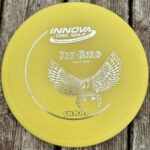
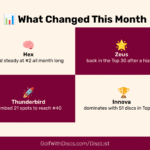
You can also ask it to find close Discraft flight matches to an Innova TeeBird, or check which discs have risen furthest on The DiscList over the last four weeks.
That last example matters because AI is extremely good at sounding current. Actually being current is a separate skill.
The DiscList™ rankings are based on aggregated retail listing performance observed over time and update weekly. The DiscList provides the scoreboard. Golf With Discs can then help explain what the numbers might mean for a player.
DiscFinder can check if you can actually buy it
An AI recommendation has an awkward final hurdle. Somebody needs to have the disc in stock.
Golf With Discs DiscFinder checks current inventory from daily retailer feeds covering more than 50 disc golf shops.
You can ask for a particular mould, weight, colour or plastic and tell it which country you are shopping from. It can also compare listed product prices using current currency conversion.
Find the actual disc
Use Golf With Discs DiscFinder to find an MVP Crave around 170g in glow plastic or pink. I am shopping from the UK. Show me the lowest listed product price and useful UK retailer options.
This sounds like a small addition until you use it.
“You might like an MVP Crave” is advice. “Here is a 170g pink Crave that a shop currently says is in stock” is considerably closer to getting something done.
A recommendation you cannot buy is really just a thought experiment with flight numbers.
Retail inventory can be messy, so DiscFinder can also distinguish between variants that are explicitly confirmed and listings where the retailer has left weight, colour or plastic unspecified.
See how DiscFinder MCP works and how its retailer results are ordered.
DiscGolfAPI can check the courses
DiscGolfAPI handles another simple question. Where can I play?
It can search disc golf courses, find courses around coordinates, retrieve known course information and check recent additions or changes.
Find nearby courses
Use DiscGolfAPI to find disc golf courses within 40 km of Bristol.
“Structured geographic course data” sounds spectacularly dull. “What courses are near my hotel?” does not.
This is often how useful technology works. The engineering sounds complicated. The job it removes sounds obvious.
DiscGolfAPI supplies the facts. Your AI can then organise those facts as part of the conversation.
Adding the tools is easier than explaining MCP
You do not need to understand MCP to use any of this. You need four web addresses.
BagIQ
https://data.bagiq.app/mcp
The DiscList
https://api.thedisclist.com/mcp
DiscGolfAPI
https://io.discgolfapi.com/mcp
Golf With Discs DiscFinder
https://finder.golfwithdiscs.com/mcp
All four are public and read-only. There is no API key to request.
You can ask your AI to connect them for you
Before searching through settings screens, try asking the AI itself.
Some agentic tools can edit their MCP configuration when they have permission. Others cannot alter connector settings, but they can tell you exactly where to add the servers.
The useful distinction is simple. Ask it to do the setup if it can, and give you the correct instructions if it cannot.
Connect all four disc golf MCPs
I want to connect four public, read-only disc golf MCP servers.BagIQ https://data.bagiq.app/mcpThe DiscList https://api.thedisclist.com/mcpDiscGolfAPI https://io.discgolfapi.com/mcpGolf With Discs DiscFinder https://finder.golfwithdiscs.com/mcpIf you can add or configure remote MCP servers in this environment, add all four for me.If you cannot change the connector or MCP settings yourself, tell me the exact steps for this AI application and wait while I complete them.Do not claim a server is connected until you can actually access its tools. Once setup is complete, list the tools you can see from each server so I can confirm the connections are working.
A prompt cannot magically bypass the security controls of the AI product you are using. That would be a fairly alarming feature.
It can, however, save you from searching for instructions written for a different version of the app.
How to add the tools manually
Claude
Claude supports public remote MCP servers as custom connectors.
Open Customize, choose Connectors, click + and choose Add custom connector.
Give the connector a name such as BagIQ, paste its MCP URL and add it. Repeat for The DiscList, DiscGolfAPI and DiscFinder.
Then open a conversation, use the + menu beside the message box, choose Connectors and enable the tools you want available in that conversation.
Claude currently supports remote custom connectors on Free, Pro, Max, Team and Enterprise plans. Free accounts are limited to one custom connector, so using all four together requires a plan or workspace that allows more than one. Team and Enterprise organisations may require an owner to add a custom connector first.
ChatGPT
ChatGPT can use MCP-backed custom apps where your account, workspace and permissions provide access to custom apps or developer mode.
The easiest starting point is the setup prompt above. Paste it into ChatGPT and ask it to guide you using the controls actually available to your account.
If custom apps are enabled for your account, add each remote MCP endpoint as a custom app and enable the apps you want ChatGPT to use.
If you cannot see custom-app or developer controls, the feature may not be available to your current account or workspace. Do not spend twenty minutes looking for a menu that your account does not have.
Cursor
Cursor can use remote MCP servers through its MCP configuration. An agent with permission to edit your configuration may be able to add them after you paste the setup prompt above.
If you want to configure them yourself, add the four servers to your global or project mcp.json.
{
  "mcpServers": {
    "bagiq": {
      "url": "https://data.bagiq.app/mcp"
    },
    "thedisclist": {
      "url": "https://api.thedisclist.com/mcp"
    },
    "discgolfapi": {
      "url": "https://io.discgolfapi.com/mcp"
    },
    "golfwithdiscs-finder": {
      "url": "https://finder.golfwithdiscs.com/mcp"
    }
  }
}
VS Code
VS Code supports remote HTTP MCP servers too. If your coding agent can edit the workspace configuration, give it the setup prompt and ask it to add the four servers.
For a manual setup, the equivalent configuration is:
{
  "servers": {
    "bagiq": {
      "type": "http",
      "url": "https://data.bagiq.app/mcp"
    },
    "thedisclist": {
      "type": "http",
      "url": "https://api.thedisclist.com/mcp"
    },
    "discgolfapi": {
      "type": "http",
      "url": "https://io.discgolfapi.com/mcp"
    },
    "golfwithdiscsFinder": {
      "type": "http",
      "url": "https://finder.golfwithdiscs.com/mcp"
    }
  }
}
Other MCP-compatible AI tools
If your AI tool supports public remote MCP servers over Streamable HTTP, the same four addresses apply.
Paste the setup prompt into the AI first. If it has permission to configure MCP servers, ask it to make the change. If it does not, ask for the exact setup steps for that application.
The server does not change because the AI logo does.
Start with your real BagIQ bag
The quickest way to understand why any of this matters is to stop giving AI imaginary examples.
Open your actual bag in BagIQ, choose Share and click Copy AI prompt.
Paste that prompt into your connected AI assistant. BagIQ can inspect the discs in that saved bag rather than relying on you to remember every mould while typing into a chat box.
Ask it for the biggest missing slot, the biggest overlap and the first change it would make.
Then challenge the answer. Ask why. Compare the candidate discs with The DiscList. If it suggests adding something, ask DiscFinder who has it in stock.
That is already a much better conversation than, “What fairway driver should I buy?”
The fun starts when you combine them
One connected tool is useful. Four let you ask questions that would otherwise involve several sites, a few browser tabs and an increasingly questionable memory of what is in your bag.
Use all four together
I am going away for a disc golf weekend in Amsterdam.My BagIQ bag is here: [PASTE YOUR BAGIQ SHARE LINK]Use DiscGolfAPI to find courses near Amsterdam.Use BagIQ to inspect my actual bag and build a five-disc travel bag from the discs I already own.If you are choosing between similar discs, use The DiscList to compare their flight data.If BagIQ identifies a genuine missing slot, use DiscFinder to check which suitable options are currently listed in stock. I am shopping from [YOUR COUNTRY].Keep each specialist tool in its own role and explain the final recommendation.
Now one request can involve course locations, your real bag, missing flight slots, disc comparisons and current retailer stock.
Each service still has one job. DiscGolfAPI supplies course information. BagIQ analyses the bag. The DiscList supplies disc reference data. DiscFinder checks retailer inventory.
The AI joins the pieces together.
That is a much saner arrangement than creating one enormous “disc golf AI” and expecting it to know everything. We use specialists everywhere else in life for a reason.
Six prompts worth stealing
Find the weak point in my actual bag
Use BagIQ to analyse this shared bag: [PASTE YOUR BAGIQ SHARE LINK]. Give me the biggest gap, the biggest overlap and the first change you would make.
Compare two discs properly
Use The DiscList to compare the Axiom Crave and Innova Leopard3. Show the factual differences first, then explain which differences are most likely to matter on the course.
Find a cross-brand match
Use The DiscList to find the closest Discraft flight matches to an Innova TeeBird. Show why each disc matched.
Find the exact disc in stock
Use Golf With Discs DiscFinder to find an Innova TeeBird around 169g in white. I am shopping from the UK. Show me the lowest listed product price and useful UK retailer options.
Find somewhere to play
Use DiscGolfAPI to find disc golf courses within 50 km of Amsterdam. Put the closest first and show the useful known information for each.
Plan the whole trip
Use DiscGolfAPI to find courses near Amsterdam. Use BagIQ to inspect my shared bag and build a five-disc travel bag from the discs I own. Use The DiscList when you need to compare similar discs. If you identify a genuine missing slot, use Golf With Discs DiscFinder to check current retailer stock.
Change the location, change the discs and give it your actual BagIQ share link. The usefulness rises very quickly once the question contains real context.
AI makes specialist data more valuable
There is a popular assumption that AI makes specialist databases less important. I think the opposite is happening.
As capable AI becomes widely available, access to a clever chatbot becomes less remarkable. The difference moves to the information and tools the AI can reach.
One AI can confidently guess which disc might suit your bag.
Another can inspect your actual BagIQ bag, check candidate discs against The DiscList, use DiscGolfAPI when you ask where to play and ask DiscFinder if the disc it has suggested is actually listed in stock.
Those are no longer the same product, even if the words appear in the same chat box. Better context beats prettier confidence.
Of course, data does not remove judgement. A disc with similar flight numbers may feel terrible in your hand. Two discs may overlap on paper but have completely different jobs for you. A course can be close to your hotel and still be a terrible idea at 7am after the night before.
The tools improve the information available to you. You still get to be the disc golfer.
Try it
If you already use an AI assistant, start with the Connect all four disc golf MCPs prompt above.
If your AI can configure its own MCP connections, let it do the repetitive work. If it cannot, let it tell you exactly where to put the four addresses.
Then open BagIQ, share your real bag and ask a real question.
Once you have done that, the acronym MCP becomes considerably less interesting than what you can do with it.